
A private, client-branded platform for lead management and outreach.
Everything a Sorifian implementation can cover, and the commercial terms it runs on. The scope is agreed in writing before any build work begins, and the platform is configured to your agency's requirements and deployed to infrastructure you control.
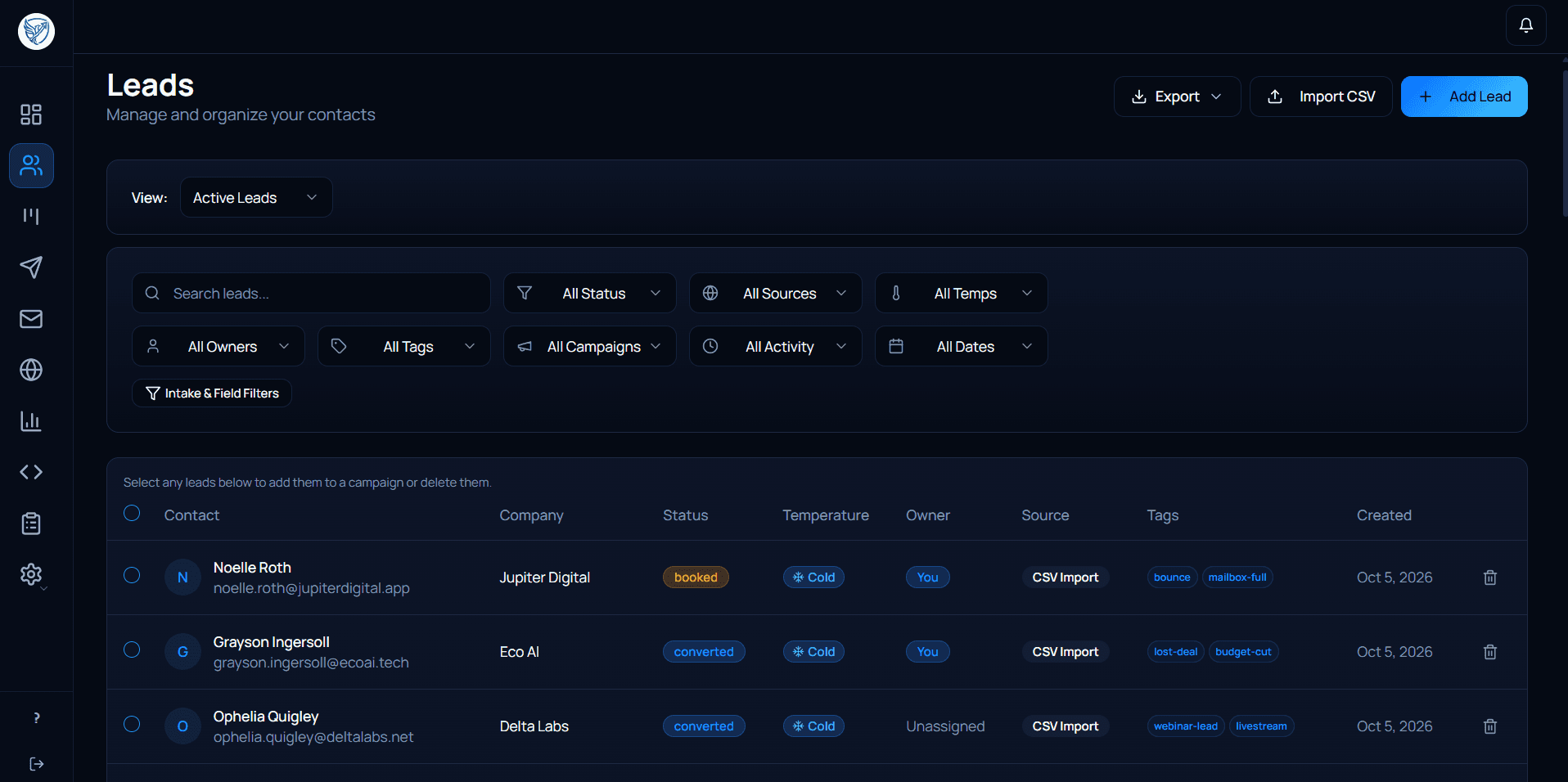
Lead Management
Centralize the information your team needs to manage leads.
Typical functionality includes:
- Lead records
- Segmentation
- Assignments
- Team access and permissions
- Admin, member, and viewer roles
- Pipeline stages
- Lead activity
- Notes and relevant fields
Lead management in one place.
Keep lead records, segmentation, activity, assignments, and pipeline information connected in a single workspace.
Lead Capture
Capture leads through forms and website integrations.
Typical functionality includes:
- Custom lead intake forms
- Widget installed on your existing website
- Popup and inline widget placements
- Lead submission handling
- Connection to the lead-management workflow
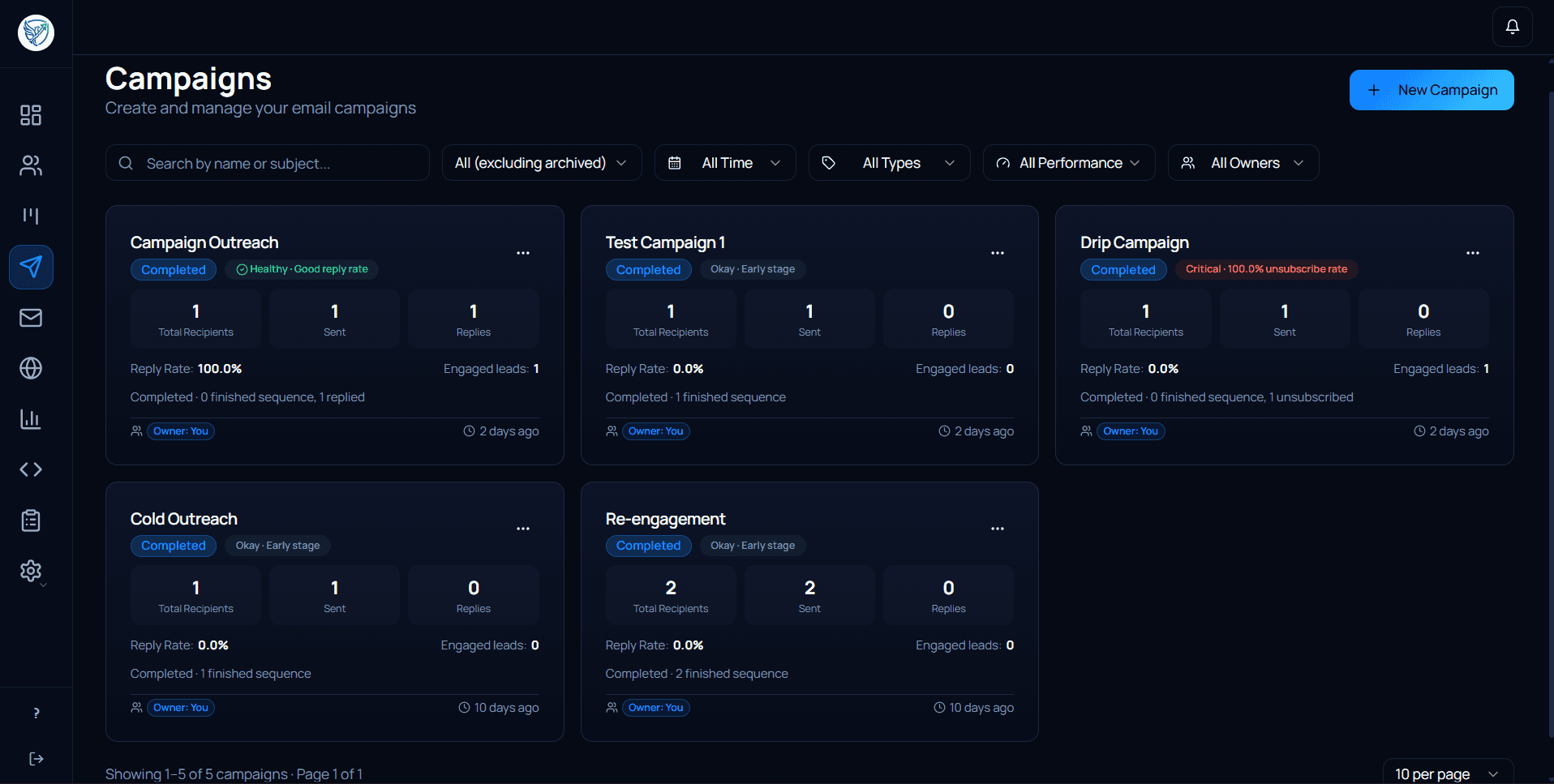
Outbound Campaigns
Configure the infrastructure required to operate outbound campaigns.
Typical functionality includes:
- Campaign creation
- Audience selection
- Campaign steps
- Sending configuration
- Scheduling and delays
- Email templates and editor
- Campaign status and activity
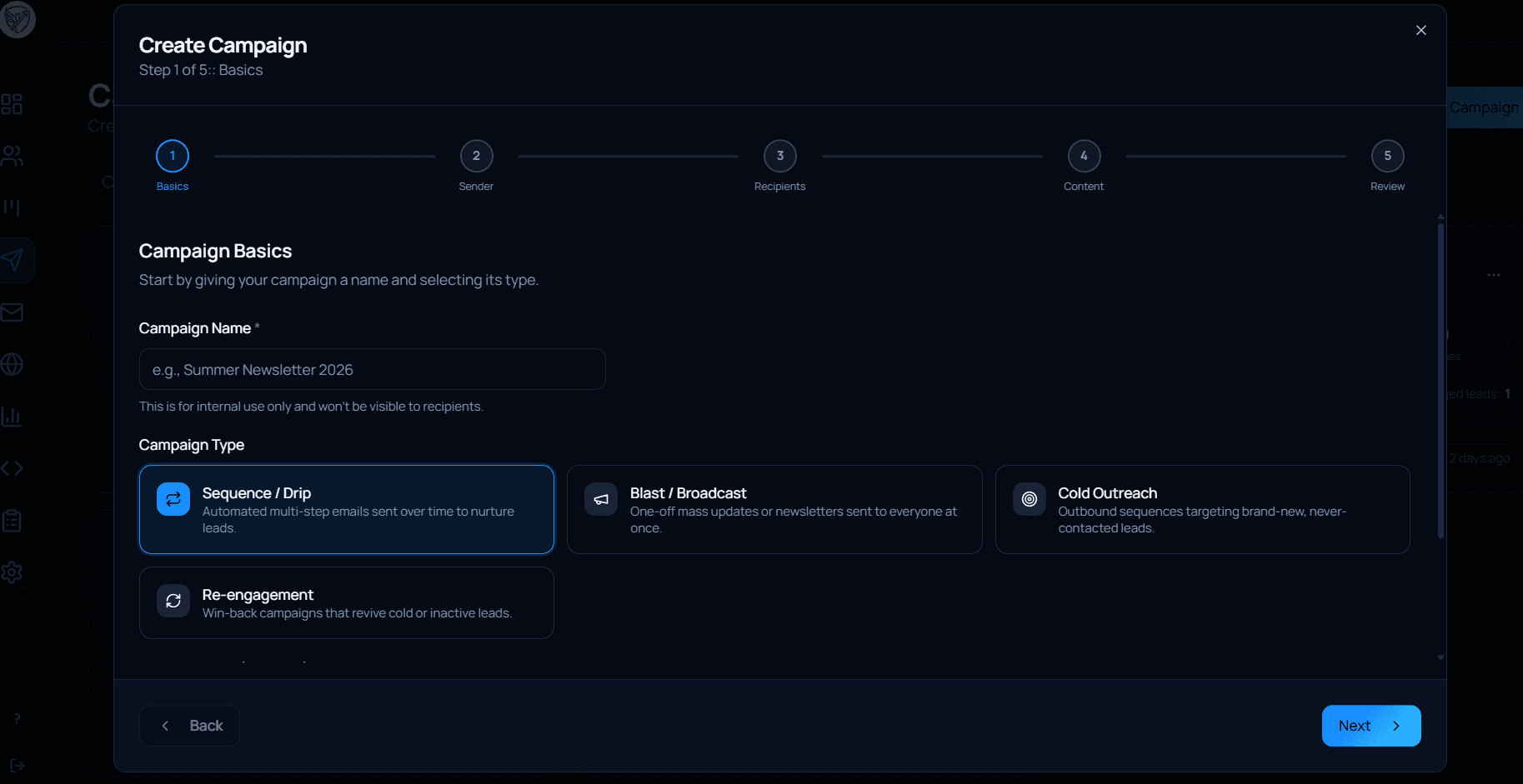
Build and manage outbound campaigns.
Configure audiences, campaign steps, delays, and email content from one workflow.
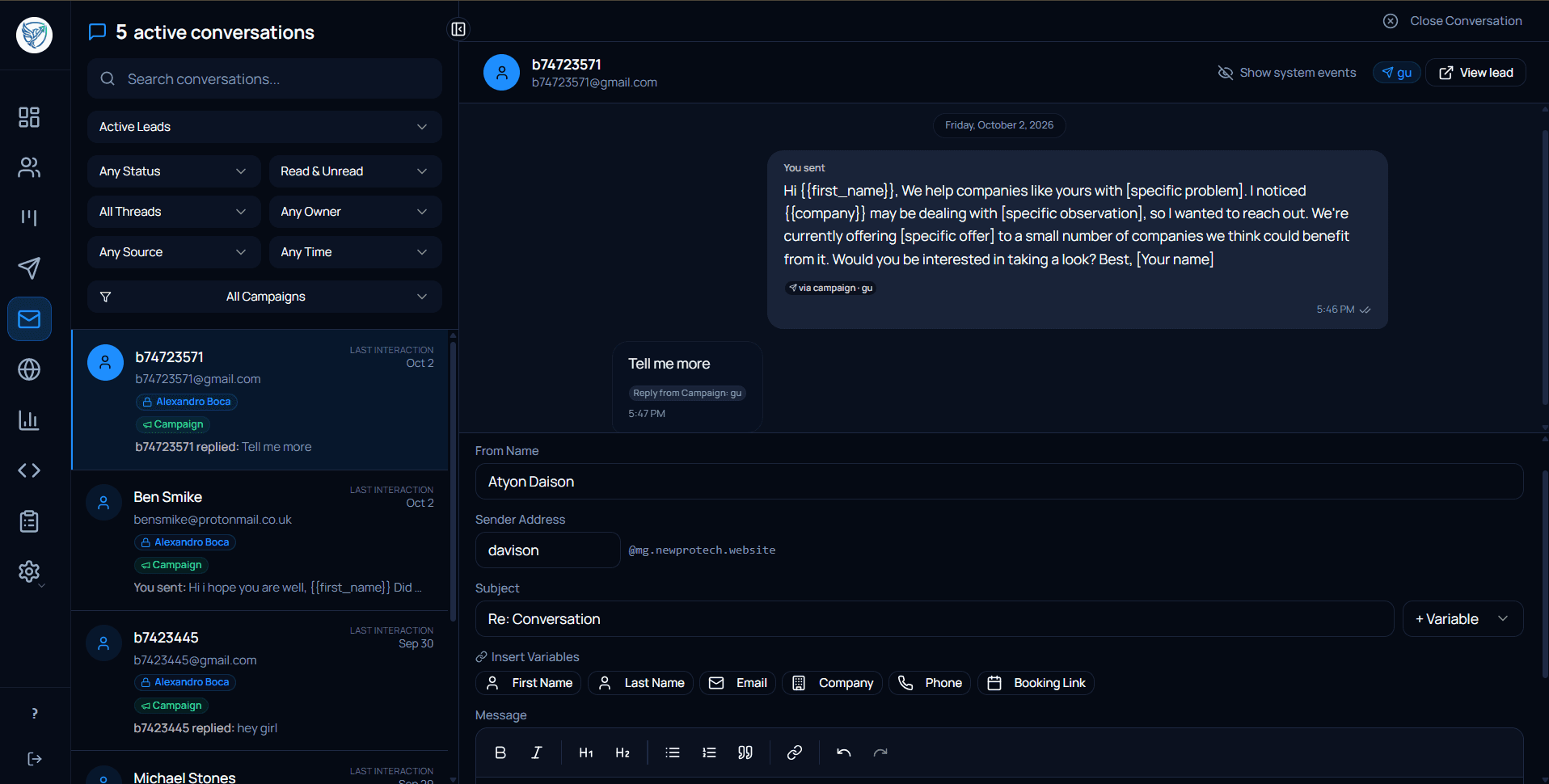
Inbox & Replies
Keep campaign replies connected to the relevant leads.
Typical functionality includes:
- Conversation management
- Lead context
- Reply handling
- Message history
- Conversation status
- Follow-up activity
Replies stay connected to the lead.
Keep conversations, lead context, message history, and follow-up activity together instead of switching between separate tools.
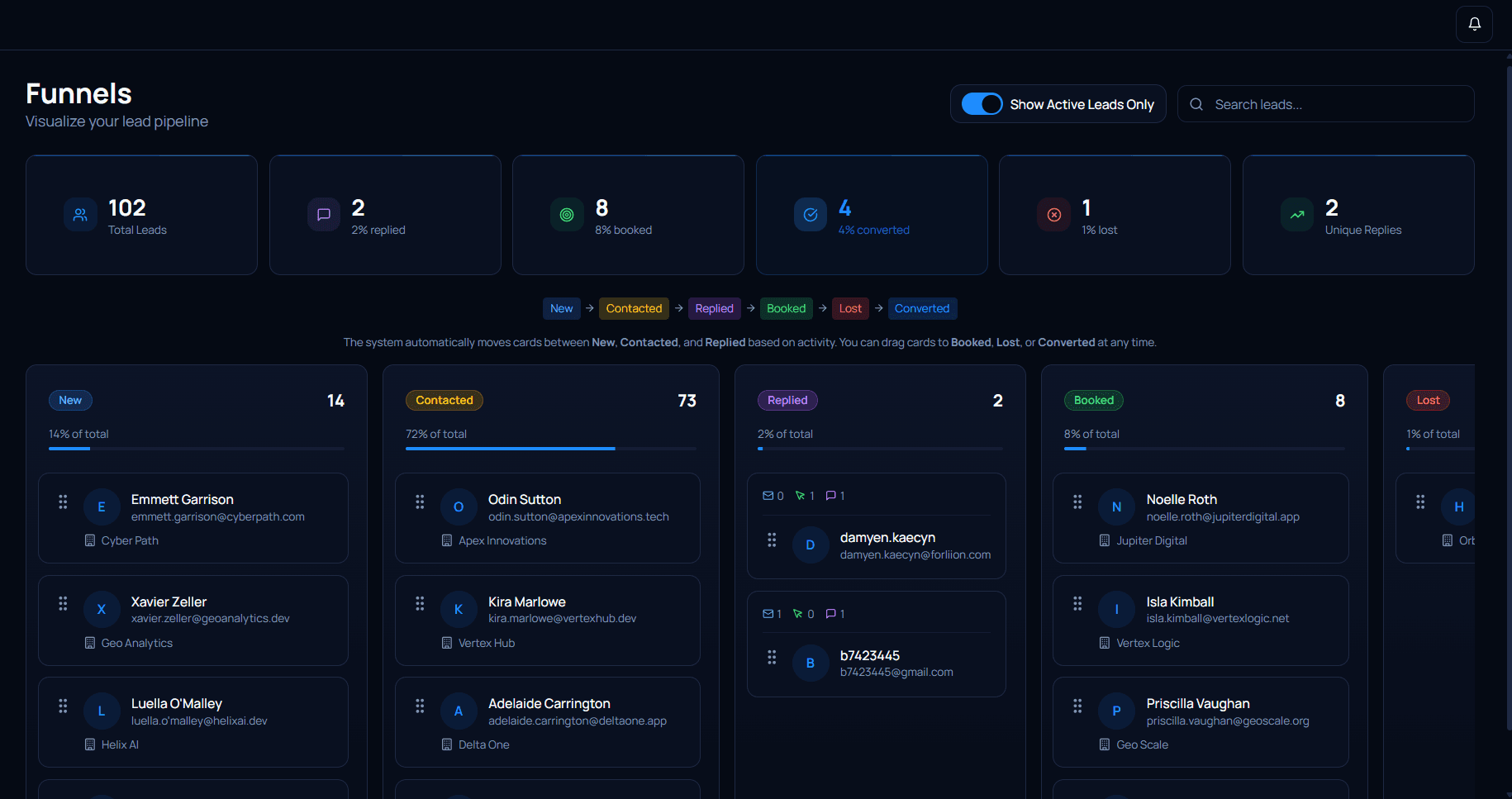
Pipeline & Workflows
Give your team a clearer view of where leads are in the process.
Typical functionality includes:
- Pipeline stages
- Lead movement
- Status tracking
- Workflow configuration
- Activity visibility
See where every lead sits in the process.
Move leads through defined stages and give your team a clearer view of what needs attention.
Analytics & Reporting
Bring relevant operational activity into one view — and see which leads are showing booking intent signals.
Depending on the agreed scope, this can include:
- Lead activity
- Campaign activity
- Engagement
- Replies
- Pipeline activity
- Booking intent tracking
- Operational reporting
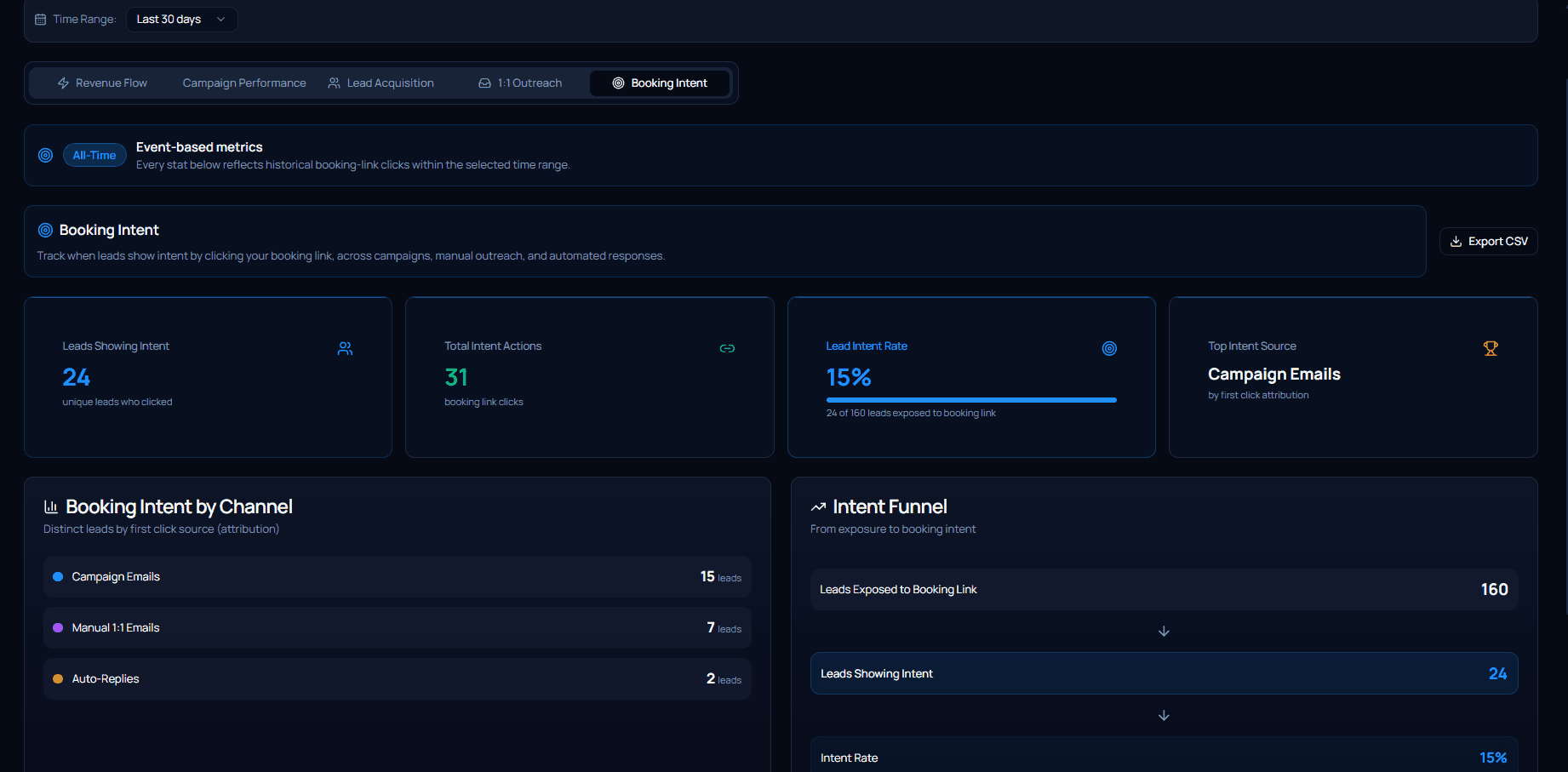
Booking intent
Track booking intent, not just engagement.
See when a lead clicks your booking link, across campaign emails, manual outreach, and automated replies. Identify which leads are showing intent, where those clicks came from, and how booking intent signals vary across your outreach.
Depending on the agreed scope, the Booking Intent view can include:
- Leads showing intent
- Total booking-link clicks
- Lead intent rate
- First-click attribution
- Intent by channel
- Campaign-email intent
- Manual 1:1 email intent
- Automated-reply intent
- Recent leads showing booking intent
See how booking intent is tracked.
The view the panel above describes: intent leads and intent actions, the intent rate against every lead the booking link reached, the channel each first click came from, and the funnel between them.
Integrations & Infrastructure
Connect the system to the services required for your workflow.
Depending on the implementation, the technology stack may include:
- Supabase — database and authentication
- Mailgun — outbound campaign email
- Resend — transactional and system emails
- Vercel — application hosting and deployment
The providers used for each project are confirmed in the agreed scope. Third-party accounts, subscriptions, usage fees, API limits, and provider policies remain the responsibility of the client.
What the implementation includes.
A standard implementation can cover all of the following. It is the written scope — not this list — that defines the work.
- Custom branding and domain configuration
- Custom development within the agreed scope
- Lead capture, intake forms, and website widget installation
- Third-party service and infrastructure configuration
- Testing against the agreed requirements
- Production deployment
- Documentation
- Training, handover, and a 14-day defect correction period
What the implementation costs.
The implementation is project-based and includes the agreed system configuration, development, deployment, testing, documentation, training, and handover.
Founding client pricing — available to the first 3–5 qualifying clients.
Payment
- 50% (€2,500) to begin
- 50% (€2,500) upon completion and handover
The final scope is agreed in writing before implementation begins. Third-party software, infrastructure, and usage costs are separate and paid by the client.
What the implementation does not cover.
Sorifian builds and hands over software. The 14-day post-handover defect correction period is included; ongoing support and maintenance are not. If something below is part of what you need, say so on the call — it can be agreed separately, but it is not part of a standard implementation.
- Lead sourcing or lead research
- Campaign management
- Copywriting
- Appointment setting
- Ongoing technical support
- Ongoing maintenance
- Website redesign
- SEO
- Additional development outside the agreed scope
- Third-party software or usage costs
A private platform, deployed and handed over to your team.
Sorifian operates on a project-based implementation model. We build the agreed system, deploy it to infrastructure you control, test it, document it, and hand it over.